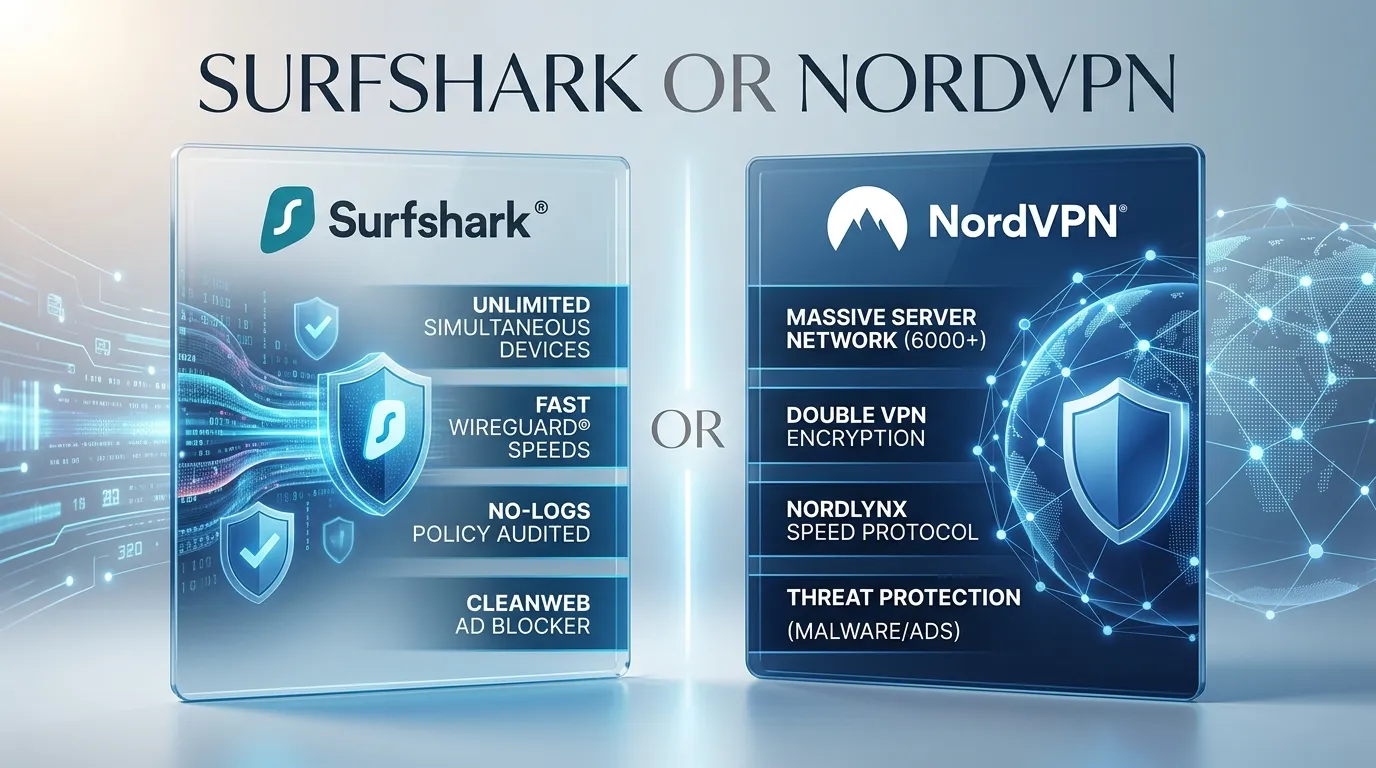
Surfshark is great for many devices. NordVPN is great for 10 devices, many locations, and extra security tools.
Have you ever used Wi-Fi at a coffee shop?
People open a laptop and check email. Many people shop online. They may even log in to a bank.
But then you think, “Is this Wi-Fi safe?”
This is where a VPN can help.
A VPN is a tool that helps keep your internet use more private. It can hide your IP address and protect the data sent from your device. Surfshark and NordVPN are two well-known VPN names.
So, which one should you pick?
Surfshark or NordVPN is a common search for people who want a VPNThese VPNs have apps for phones, computers, TVs, and more. These VPNs have many servers.Both services also have tools to help keep users safer online. But they are not the same.
Surfshark or NordVPN can be a good choice for a person in the USA. Your best pick depends on your needs.
Do you have a lot of devices?
A lower long-term price may be better.
Do you care about server choice?
Do you want extra tools?
This guide will help you see the key differences in simple words.
How to Say the Names
Surfshark
US English: “surf shark”
UK English: “surf shark”
It sounds like two words: surf and shark.
NordVPN
US English: “Nord V-P-N”
UK English: “Nord V-P-N”
The names are brand names. Their spelling does not change in US or UK English.
Now let’s look at the main differences.
Difference Between Surfshark or NordVPN
1. Number of Devices
This is a big difference.
Surfshark lets you use an unlimited number of devices at the same time on its paid plans. That can be very useful at home.
NordVPN lets you use up to 10 devices at the same time. A router can also help protect more devices on one home network.
Example 1
You have two phones, three laptops, two TVs, and four tablets.
That is 11 devices.
Surfshark may be the easier choice.
Example 2
You have one phone and one laptop.
You only have two devices.
Both VPNs can work well for you.
Best for many devices: Surfshark.
2. Server Network
A VPN needs servers.
A server is a computer that helps connect you to the internet through the VPN.
Both Surfshark and NordVPN have large server networks.
Surfshark lists more than 4,500 servers in 100 countries. NordVPN lists 9,400+ servers in 167+ countries on its current comparison page.
Server numbers can change over time.
Example 1
You live in Texas.
You want a server close to you.
Both services have many US server choices.
Example 2
You travel to Europe.
You want to connect to a server in another country.
Both services give you many location choices.
Best for a bigger server network: NordVPN.
3. Price
Price is also important.
Surfshark currently lists its Starter plan from $2.49 a month when paid for the long-term plan.
NordVPN currently lists its Basic plan from $3.49 a month on its long-term plan.
These are sale prices. They can change.
The plan length also matters.
A one-month plan can cost much more than a long plan.
Example 1
You want a VPN for a long time.
You want to spend less.
Surfshark may be a better fit.
Example 2
You want more tools and like NordVPN.
You may be happy to pay more.
Best for a lower long-term price: Surfshark.
4. Extra Security Tools
A VPN does more than change your IP address.
Some VPN plans also have extra tools.
Surfshark has tools such as CleanWeb. It can help block ads and trackers. Some plans also have more safety tools.
NordVPN also has tools that can block ads and help stop harmful sites. Some plans include more tools for online safety.
Example 1
You visit many websites.
You do not like lots of ads.
An ad-block tool may help.
Example 2
You want one service with more safety tools.
Look at what each plan includes before you pay.
Best choice: It depends on the plan you want.
5. Streaming
Many people in the USA use VPNs while traveling.
They may want to use their normal online services.
Both Surfshark and NordVPN offer features for streaming. Surfshark lists services such as Netflix, Hulu, and Disney+. NordVPN also offers streaming support and has a SmartPlay feature.
But no VPN can promise that every service will work all the time.
Streaming sites can change their rules.
Example 1
You are on a trip.
You want to watch your usual shows.
A VPN may help.
Example 2
A show does not load with one server.
You can try another server.
Best for streaming: Both can be good.
6. Speed
Speed matters when you watch videos, download files, or play games.
Both VPNs aim to give users fast connections.
NordVPN uses NordLynx. Surfshark also has fast connection options. Current Surfshark tests list speeds above 1,600 Mbps in its comparison data.
Your own speed can still change.
The internet plan matters.
Your location matters.
The server you use also matters.
Example 1
You are watching a movie.
You do not want the video to stop.
A nearby fast server may help.
Example 2
You play an online game.
A slow connection can be annoying.
A good nearby server may give you a better experience.
Best for speed: Both are strong choices. Real speed can vary.
7. Sharing With Your Family
This point is close to the device question, but it matters in real life.
Think about a family of five.
Everyone may have a phone.
The parents may have laptops.
There may also be TVs and tablets.
That can add up fast.
Surfshark lets you connect unlimited devices.
NordVPN allows up to 10 devices at the same time.
Example 1
A family has 12 devices.
Surfshark can be very useful.
Example 2
A person has six devices.
NordVPN can cover them.
Best for large families: Surfshark.
8. Privacy
Privacy is one of the main reasons people use a VPN.
A VPN can hide your IP address.
It can also help protect your internet traffic.
Both Surfshark and NordVPN focus on online privacy. Both have no-logs policies listed in their current comparison information.
Still, a VPN does not make you fully invisible online.
You should still use strong passwords.
You should also be careful with links and websites.
Example 1
You use Wi-Fi at a coffee shop.
A VPN can add extra protection.
Example 2
You use Wi-Fi at a hotel.
A VPN can help protect your connection there too.
Best for privacy: Both are strong options.
9. Ease of Use
A VPN should not feel hard to use.
You should be able to open the app and connect.
Both Surfshark and NordVPN have apps for common devices.
Surfshark supports devices such as Windows, Mac, Android, iPhone, TVs, and routers. NordVPN also supports computers, phones, TVs, routers, and more.
Example 1
You have never used a VPN.
You want something simple.
Both apps can be a good start.
Example 2
You use a phone and laptop every day.
You can install the VPN on both.
Best for beginners: Both are easy to start with.
10. Best Fit
There is no one VPN that is best for every person.
Your needs matter most.
Surfshark is a strong fit if you have many devices. Its unlimited device feature is a big plus.
NordVPN can be a good fit if 10 devices are enough for you and you want its large network and extra tools.
Example 1
You have a large family.
You have many phones and TVs.
Surfshark may be better for you.
Example 2
You live alone.
You have three devices.
NordVPN may be more than enough.
Best fit: It depends on your needs.
Surfshark and NordVPN: How They Work
Both VPNs help keep your internet more private.
Surfshark started its VPN service in 2018.
NordVPN started in 2012.
NordVPN is the older name of the two. Surfshark came later.
Both have grown over the years.
Both now offer more than a basic VPN.
They have tools for safety, privacy, and online use.
Surfshark has also added tools such as Alert, Antivirus, and Alternative ID in some plans. NordVPN has added tools for things such as malware, scams, and trackers in some plans.
Why Do People Get Confused?
The two VPNs do many of the same things.
Both can:
- hide your IP address
- help protect your internet traffic
- work on many devices
- help on public Wi-Fi
- offer streaming tools
- offer extra safety tools
- give you many server choices
That is why people ask, “Surfshark or NordVPN?”
The answer is not always clear.
The small details matter.
For example, Surfshark gives you unlimited device use.
NordVPN gives you up to 10 devices.
That one point can be very important for a big family.
Comparison Table
| Feature | Surfshark | NordVPN |
| VPN | Yes | Yes |
| Devices | Unlimited | Up to 10 |
| Servers | 4,500+ | 9,400+ |
| Server countries | 100 | 167+ |
| Long-term price | From $2.49/month | From $3.49/month |
| Streaming | Yes | Yes |
| Ad blocking | Yes | Yes |
| Apps | Many devices | Many devices |
| Router support | Yes | Yes |
| Money-back period | 30 days | 30 days |
| Best for | Many devices | Large server network |
Current prices and features can change. Check the plan page before you buy.
The History of Surfshark and NordVPN
NordVPN came first.
It began in 2012.
Surfshark came later.
Its VPN service began in 2018.
Both companies have changed a lot since then.
They now offer more than a simple VPN app.
They also work on many types of devices.
For a new user, the history may not matter much.
What matters more is what the VPN can do for you today.
British English vs American English
There is no spelling change here.
Surfshark is still Surfshark.
NordVPN is still NordVPN.
The names are brands.
They do not change in American English.
They do not change in British English.
For example:
I use Surfshark.
I use NordVPN.
Which VPN should I choose?
The same words work in both types of English.
Which One Should You Use?
Choose Surfshark if:
- You have many devices.
- Your family has many devices.
- You want unlimited device use.
- You want a lower long-term price.
- You like its extra tools.
Choose NordVPN if:
- You have 10 or fewer devices.
- You want many server locations.
- You like its security tools.
- You want a well-known VPN.
- You like the NordVPN app.
NordVPN allows up to 10 devices at the same time.
For people in the USA
Both can be good choices.
Many devices are found at home.
Look at the devices people use.
Think about your budget.
Then look at the current plans.
For people in the UK
Both can work well.
Look at the server locations you need.
For people around the world
Think about where you live.
Think about where you travel.
Then choose the VPN that fits your needs.
Common Mistakes People Make
Mistake 1: Thinking both VPNs are the same
They are not.
They have many similar tools.
But they also have key differences.
The number of devices is one clear example.
Mistake 2: Thinking more devices means more speed
It does not.
Surfshark can connect many devices.
But your internet speed still depends on your internet service and network.
Mistake 3: Thinking a VPN makes you invisible
A VPN can help protect your internet use.
But it does not make you fully invisible.
You still need to be careful online.
Mistake 4: Looking only at the price
Do not look at price alone.
Check the plan.
Check the tools.
View the device limit
See the full payment amount
Mistake 5: Looking only at server numbers
More servers do not always mean a better choice for you.
Your location matters.
The server near you matters.
Your needs matter too.
Everyday Use
A VPN can be useful in many parts of daily life.
At a coffee shop
You may use free Wi-Fi.
A VPN can add extra protection to your connection.
At an airport
You may need Wi-Fi while waiting for your flight.
A VPN can help protect your connection.
At a hotel
Hotel Wi-Fi is shared by many people.
A VPN can add another layer of protection.
At home
You may have many devices.
You may have phones, TVs, tablets, and laptops.
This is where Surfshark can stand out because it allows unlimited device connections.
While traveling
You may want to connect to a server in another place.
Both VPNs give you many server choices.
How People Talk About These VPNs
You may see the names in many places.
In an email
“I use a VPN when I work from a coffee shop.”
On social media
“I am trying Surfshark on my phone.”
In a tech article
“Surfshark and NordVPN are two popular VPN services.”
In daily talk
“Should I get Surfshark or NordVPN?”
This last question is simple.
But the answer depends on the person.
VPNs in Daily Life
VPNs are now used for many simple reasons.
People may use them at home.
They may use them while traveling.
People may use them at work.
They may use them on public Wi-Fi.
People also use VPNs when they want more privacy online.
Both Surfshark and NordVPN keep adding new tools to their plans.
So it is smart to check the current plan before you buy.
Simple Ways to Think About a VPN
A VPN can be hard to explain.
So people often use simple pictures.
A VPN is like a tunnel
Think of a road.
Now think of a private tunnel.
The tunnel gives your traffic a safer path.
That is one easy way to think about a VPN.
A VPN is like a shield
A shield helps protect you.
A VPN can add protection to your internet connection.
For example:
“I use a VPN like a shield when I use public Wi-Fi.”
These are simple examples.
They help new users understand the idea.
What Feelings Do the Names Give?
The two names may give people different feelings.
Surfshark
“Surf” makes many people think of the internet.
“Shark” can sound strong.
So the name may feel:
- Fun
- Fast
- Strong
- Modern
NordVPN
“Nord” may make people think of the north.
The name may feel:
- Clean
- Strong
- Serious
- Simple
But a name does not tell you which VPN is better.
Look at the real features.
Common Sayings You Can Use
There are no common English sayings that mean Surfshark or NordVPN.
But some common sayings fit the topic.
“Play it safe”
Example:
“I use a VPN because I like to play it safe online.”
“Better safe than sorry”
Example:
“I use a VPN on public Wi-Fi. Better safe than sorry.”
These sayings are easy to use in simple writing about online safety.
Books and Movies About Privacy
Surfshark and NordVPN are tech brands.
They are not old English words.
So you will not find them in classic books as normal English terms.
But some books and movies talk about privacy and technology.
One example is Little Brother by Cory Doctorow.
It came out in 2008.
The book looks at technology, privacy, and control.
Another example is The Circle, a 2017 movie from the United States.
It looks at privacy and life with modern technology.
These works are not about Surfshark or NordVPN.
They simply help us think about why online privacy matters.
Why This Difference Matters
You may think:
“Why should I care?”
The answer is simple.
You may pay for a VPN that has tools you do not need.
Or you may choose a VPN that does not fit your home.
Think about a large family.
There may be 12 or more devices.
Surfshark may be a better fit because it allows unlimited device connections.
Now think about one person.
They have a phone, laptop, and tablet.
Three devices are well below NordVPN’s 10-device limit.
So there is no need to pick a VPN just because it is famous.
Pick the one that fits you.
Ask:
“Which VPN is best for me?”
That is a better question.
Why a VPN Can Help in Daily Life
A VPN can be useful in simple places.
You may sit in a coffee shop.
It may happen at an airport.
One hotel can be a good choice.
We may work in a shared office.
You may travel to another state.
In all these places, you may use public Wi-Fi.
A VPN can add more protection to your internet connection.
At home, the device limit can also matter.
A large family may have many phones and TVs.
Surfshark’s unlimited device feature can be useful here.
A smaller home may be fine with NordVPN’s 10-device limit.
Which One Is Better in Different Situations?
Here is a simple way to think about it.
Many devices: Surfshark
Large family: Surfshark
Lower long-term price: Surfshark
10 or fewer devices: Either can work
Large server network: NordVPN
Many extra tools: Compare the plans
Streaming: Both can work
Public Wi-Fi: Both can help
Travel: Both offer many server choices
Simple home use: Either can be a good choice
For most people, the first thing to check should be the number of devices.
Then check the price.
Then check the tools you want.
possible question
1. Is Surfshark better than NordVPN?
It depends on what you need.
Surfshark is a strong choice for many devices.
NordVPN is a strong choice for people who want up to 10 devices and a large server network.
2. Is Surfshark cheaper than NordVPN?
Surfshark currently has a lower long-term price on its basic plan.
Its listed long-term price starts at $2.49 a month.
NordVPN currently lists its Basic long-term price from $3.49 a month.
Prices can change.
Always check the current price before you buy.
3. Can I use Surfshark on many devices?
Yes.
Surfshark allows unlimited device connections on its paid plans.
This can be useful for large families.
4. How many devices can use NordVPN?
NordVPN allows up to 10 devices at the same time.
A router can also help protect more devices on one home network.
5. Which VPN is better for a family?
Surfshark can be a great fit for a large family.
The reason is simple.
It allows unlimited device connections.
6. Are both good for streaming?
Both offer tools made for streaming.
But results can change.
The streaming service, server, and location can all matter.
7. Which VPN is better for a beginner?
Both can work for beginners.
Choose Surfshark if you have many devices.
Choose NordVPN if 10 devices are enough and you like its features.
Conclusion
Choosing between Surfshark or NordVPN does not have to be hard.Both are well-known VPN services.Both can help protect your internet connection. They work on many devices. Both offer extra tools.. But there are some clear differences. Surfshark is a strong choice for people with many devices. It allows unlimited device connections and It also has a lower long-term price on its basic plan. NordVPN is a strong choice for people who want a large server network and can work within a 10-device limit. It also has several extra safety tools. For a big family, I would look at Surfshark first. For a person with fewer devices, NordVPN can be a very good choice. But do not choose only by the name.Look at your devices. Check your budget. Think about where you use the internet. Choose the tools you need.Then check the current plan before you buy. Prices and features can change.